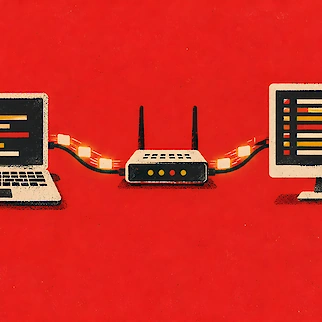
- Syncthing copies files between your own devices without uploading them to any cloud.
- All connections are encrypted, and only devices you approve can connect.
- It can route traffic through relays when a direct link isn't possible, but that's slower.
- Its official Android app has been discontinued, but other apps can replace it.
- It's free and open source, and runs on Windows, macOS, Linux and more.
Syncthing is a free, open source program that copies files between two or more of your own computers in real time. It never uploads your files to any cloud server, so everything stays on your own machines. Every device gets a long ID code, and you add that code on both sides before two devices can share a folder.

Once two devices are paired, Syncthing keeps them in sync automatically over an encrypted connection whenever both are online. On the same network the devices can usually find each other without any extra setup.

When two devices can't connect to each other directly, Syncthing can send the connection through a relay run by a volunteer instead. The relay can't read the data, because it's still encrypted from end to end. Syncthing keeps trying for a direct connection even while using a relay, and switches over once one works. Relayed transfers are slower than a direct connection.

You can also set how a folder behaves. The normal setup sends and receives changes both ways. A folder set to send only keeps a reference copy and ignores changes coming in from other devices. A folder set to receive only takes changes from other devices but never sends its own local edits back out.
Syncthing's official Android app has been discontinued. Its maintainer says Google made publishing to the Play Store close to impossible. The app had also gone without much upkeep for a long time. The last version came out with the December 2024 release, posted on GitHub and F-Droid.
Syncthing Android app discontinued
Syncthing has no official iPhone or iPad app, since iOS makes it hard for any app to keep running in the background. Third-party apps fill the gap instead. Synctrain is open source, and available on the App Store. Möbius Sync is free for up to 20 megabytes of synced files, and a one-time purchase removes that limit.
Syncthing can keep old copies of a file when another device changes or deletes it, a feature called file versioning. It only saves those old versions from changes made on other devices, not from edits you make yourself on that machine. Möbius Sync's maker says neither Syncthing nor their app is meant to replace a real backup.